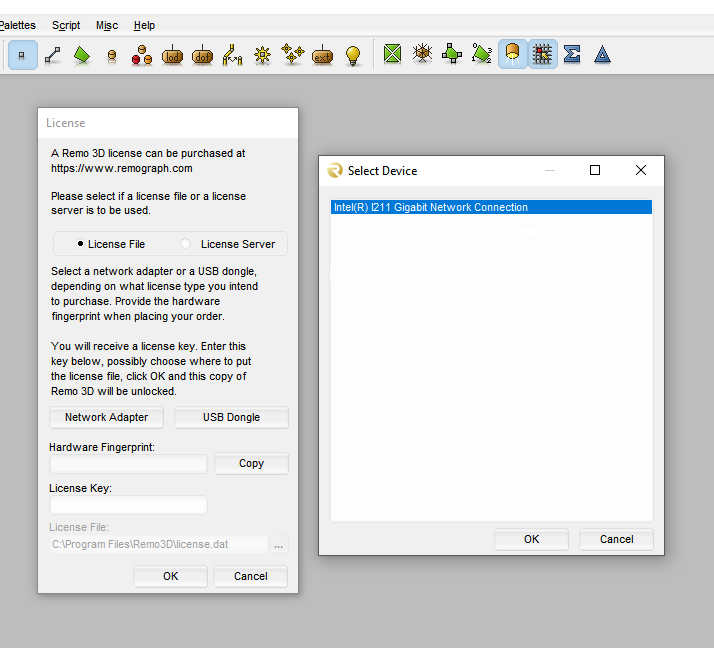
Generating a computer specific (node locked) fingerprint
1 – Download the latest Remo 3D demo software from Remograph web site at:
https://remograph.com/download.php
2- Start Remo 3D on the PC you wish to use Remo 3D on.
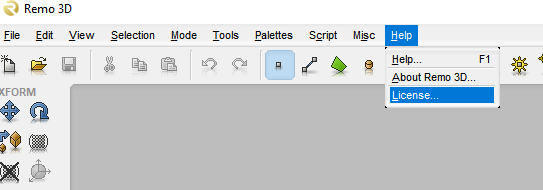
3 – Go in “help” menu, then “License…”. This will open a window with options about license methods.
4 – Leave “License File” selected
5 – Click on “Network Adapter” and select the main network card interface from the shown list.
6 – Click on “Copy” next to the hardware fingerprint field and paste the fingerprint number into this Email reply to us.